Why choose Infolinks as your G Suite Partner? Secrets unvealed!

Are you planning on moving your business to G Suite? Or you already are on G Suite and you are looking for better usage? In both situations it is recommended that you do your research and find the right partner that suits your business needs. You don’t really have to go with a Google partner. Many of Google’s clients deal directly with Google and not through partners. They are able to get free G Suite support by lodging a ticket or calling Google support. However because Google is such a large organisation, they are unable to give their clients the attention or flexibility they might need. That’s why Google heavily invests in their partner network to provide a better experience to their customers by going through a local partner that can handle their specialist needs. Here is a list of what we believe you should look for in a G Suite Partner.
- Local support that can provide fast response to your issues
- Deal with the same support team who know your business
- G suite certified staff
- IT support background, not a web design business
- Keep you updated with new features of G Suite
- Able to train your staff on G Suite
- Specialist with cloud security and data loss prevention
Local Support
Although this is not a must have, it is a nice thing to have. As with any supplier, you build better relationships when you meet face to face. Often, when we visit a client's office we discover opportunities for improvement which we would have missed if we were only communicating via email or phone. An example of this is when we sit down with the staff and see how they operate day to day. We can often recommend a better way to operate such as using Google Docs & Sheets in the browser rather than Microsoft Office so they can then benefit from collaboration features in the cloud. This is also very handy when moving to G Suite. Finally, on site G Suite training is far more effective than when performed remotely as it can be tailored more to suit how the business operates and encourages more Q&A.
Small team that knows your business
Although G Suite is designed to be a simple product for businesses to adopt and operate, we find all businesses operate differently in the way they communicate with emails, calendars and process documents. We often find some staff may be using Gmail in the browser while others prefer to use an e-mail client such as Outlook. Businesses often have generic email addresses that forward to different people and access permissions in Google Drive. Therefore when you need help with G Suite, it’s good to call someone that knows how you operate G Suite. If you call Google directly they would most likely give you their simplest solution which might not suit your existing setup and cause issues in the future. An example of this is when an employee leaves the business and you call Google for help in removing the account. Google won’t advise you on the process to export all the emails and Drive data to a zip file and store it securely in an ‘ex-employees’ folder in Google Drive (this is the process we follow when we remove accounts).
Experts in the industry
The right G Suite partner can help your business get the most out of G Suite - that can actually be a real business driver. A recent report from Deloitte called The Collaborative Economy showed some interesting statistics of businesses in Australia. It was found that employees who collaborated, worked on average 15% faster. Also, 73% of them produced better quality work, 60% were more innovative, and 56% were more satisfied with their jobs. Businesses with a collaborative strategy are twice as likely to outgrow their competitors and more likely to improve their bottom line.
Another reason to get a G Suite expert is to ensure your transition is a smooth process and done correctly. If you’re coming from a previous email system, you want to ensure all of your email history is transferred over correctly with intact folders and other items like calendar appointments and address book contacts. This migration process should be well planned for and executed to minimise business disruption. When looking for a G Suite partner, it’s a good idea to engage with a business that knows how to implement these systems and get staff on board with good training. This way, they are able to adopt the new technology and benefit immediately. The key items to look for here is to check if their staff have Google certifications such as G Suite deployment specialist or G Suite administrator.
Some businesses offer G Suite to their clients as an additional service, however they do this very poorly. E.g we often see website designers implement G Suite for a business but don’t migrate their email history, calendars or contacts. They don’t help the business learn about Google Drive so the business only ever uses a fraction of the Google suite of products and misses great opportunities for business improvements.
Well connected
G Suite doesn't have the solution for everything. We often find 3rd party cloud applications that can enhance a businesses experience with G Suite. These 3rd party companies develop software to fill a missing need G suite may not fulfill.
Since they are not correctly advertised, you can't know about all of these and won’t have the time to investigate it either. But a good G Suite partner can help you with recommendations and implementation.
Security as a priority
Security should be one of your main concerns when it comes to your IT system. Every day, cybercriminals are finding more clever ways to get into your systems! Their reasons are varied but in the case of a ransomware, they will hold your data until you pay the ransom.
Google is always improving their security, but it feels like cybercriminals are always one step ahead. Another large threat in businesses is Data leakage caused by staff, sometime staff leave to another competitor or start their own business taking your business data with them. Therefore it’s very important that your G Suite partner is able to recommend and help implement best security practices.
Being kept in the loop
Google releases hundreds of updates and new products every year, many of which you would want to know. Rather than being constantly bombarded with emails from Google, it would be more convenient for a Google partner to relay the relevant information to you in a simple and easy to understand way.
For example, Google recently released a new backup and sync tool for Google Drive - this is a great way to backup your computer.
Flexible payment options
We have seen many clients prefer to deal with a G Suite partner for their billing rather than go directly to Google. This could be because Google only has one payment option (credit card) which doesn't always suit the business needs.
Many of our clients prefer to pay via bank transfer, cash, credit card or PayPal. It’s also good to be aware of which payment model is more suited, annual vs flexible (monthly). There are some saving options for businesses who are happy to pay annually rather than monthly.
How to engage with a G Suite partner
By now, you should see the many benefits of finding the right G Suite partner for your business.
There are many places to find a G Suite partner such as:
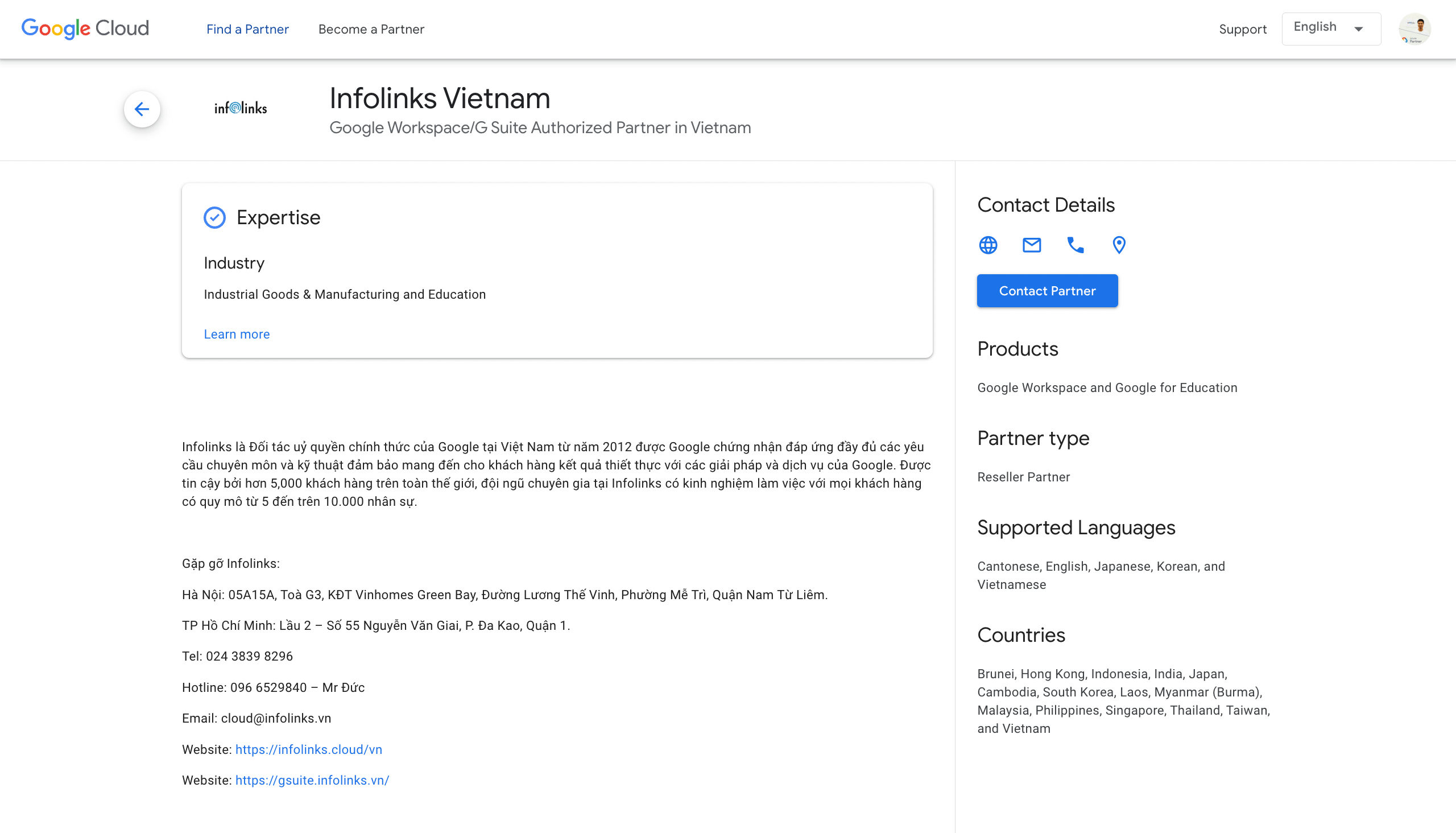
- the Google Cloud partner search,
- You can do a Google search for G Suite partner.
Infolinks is a G Suite partner so if you're interested in engaging with us, you can call us on +84-096 6529840 or email gsuite@infolinks.vn
To bring your G Suite domain to a Google partner you need to generate a transfer token which proves to Google that this G Suite partner will be managing your billing going forward. As soon as the partner adds your domain to their management they will start billing you from that day onwards either for an annual or monthly payment.
If you’re already on yearly payment with Google or another partner, then it makes sense to wait until you are close to your renewal date before transferring so you don't waste any remaining months of credit.
FAQ
What access does the G Suite partner have
Your G Suite partner will have access to manage your licenses as well as access to your G suite admin console. This will give them the ability to manage your G Suite environment if you wish.
They do not have direct access to view staff emails or documents, but they can reset an employee’s password and login to this account and access this information. Therefore it is very important that you pick a G suite partner you can trust. Remember it's the staff of the G Suite partner you need to be concerned with.
Can I restrict access to the G Suite partner
Yes you can, you can set the G Suite partner to only manage your billing and disable their access to your G Suite admin console. To do this simply do the following:
- Sign in to your Admin console.
- Click Company Profile > Profile
- Uncheck the Reseller Access box.
- Click Save changes.
Can I transfer the G suite management back to Google or to another partner
Yes you can. To transfer back to Google you need to ask your current partner to “end the reseller relationship”. This will then move your G Suite billing to a 1-month free trial mode where you have up to 1 month to find another reseller or organize your credit card details with Google for them to start billing you directly.
You can also do the transfer token as per above and transfer directly to another reseller whenever you wish.
If you wish to discuss G suite partners futher, please contact our Hotline: +84-096 6529840 - Mr Duc.